World Machine · Experimental macOS project

Branch a world

Open a .world document, inspect its state, and try a different branch. This macOS pre-alpha is still changing, including its file format and public APIs.

Experimentalpre-alphamacOS desktopApache-2.0

world-machine · illustrative view pre-alpha
Briefing A place wakes. Notice the first relationship forming. Commands
  • Observe the first cycle
  • Steer gently
  • Leave the world alone
Collection
  • Place · seeded
  • Relation · forming
  • Agent · optional
Timeline
  • t0 · world opened
  • t1 · pack activated
  • t2 · branch offered
Entity → Action → Event → Statead-hoc · not notarized

Start with Pocket Universe

Start with Pocket Universe

Observe a first cycle

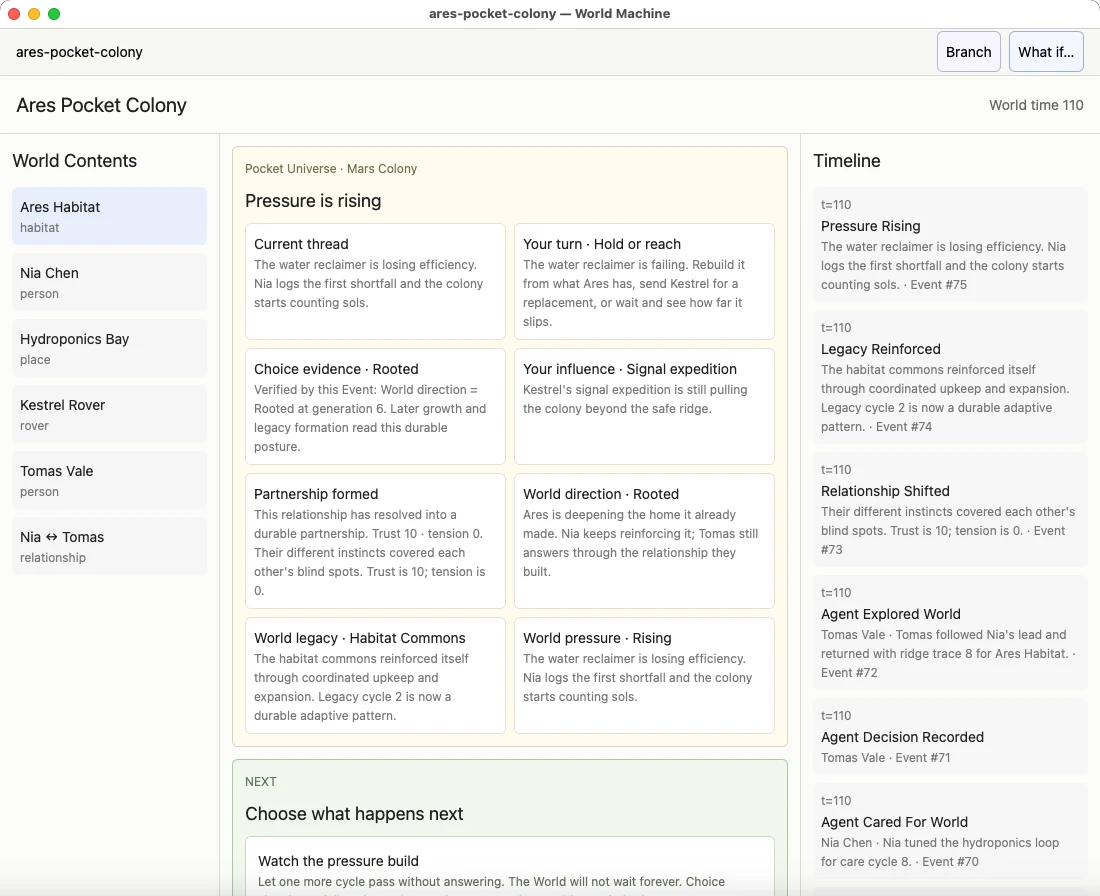
The packaged app offers Pocket Universe as its starting world. Its opening sequence introduces a place and the relationships that form as it runs.

Choose a continuation

Observe the next cycle, leave the world running, or try an intervention on a branch. The timeline and inspector let you examine events and state.

From a pack to a world

From a pack to a world

01

Review the pack

Open a .worldpack to inspect it. Opening does not run its code; installation requires review, including for the packs shipped with the app.

02

Create and save a world

After installation and activation, create a world and save it as a .world document. Branch history stays with the document.

Before building

Before building

Pre-alpha files and APIs

The file format and public APIs may change. Current packages are ad-hoc signed and not notarized. Follow the pre-alpha packaging notes.

Packs define the world

Pocket Universe, Tiny Society, and Micro Company provide different worlds. Developer documentation covers the runtime, pack contracts, and projection interfaces.

Get the pre-alpha

Get the pre-alpha

Build from source

There is no production GitHub Release. The repository includes build and packaging scripts; start with docs/PRE_ALPHA_RELEASES.md.

Open repository